Ritme

A workday that follows the prayer times.

Ritme fits your tasks, focus sessions, Quran reading and runs between the five daily prayers. One app for working Muslims. Works offline, no ads, and your data is never sold.

Android first. You hear first when the beta is ready.

Today in
A 24-hour clock: midnight at the bottom, noon at the top, the five prayers around the ring.
Prayer times --.--
    Indonesian Ministry of Religious Affairs method: Fajr 20°, Isha 18°, 2-minute safety margin. Calculated in your browser with exactly the same formula as the app.
    Today screen: the Ritme clock, prayer times, Quran reading card, group, three things for today, habits, and tasks grouped by after-prayer block. Today screen in dark mode.

    The Today screen. Scroll inside it to the bottom.

    One screen for today

    Open the app and see the next prayer, the tasks for the current block, your Quran reading, and your habits.

    Tasks by prayer block
    Put a task after Subuh, Dzuhur, Ashar, Maghrib or Isya. The current block is highlighted.
    Every tick keeps its time
    Tasks read done 09.12, prayers show when they were ticked and how many minutes after the adhan.
    Three things for today
    A morning check-in: the three things that make the day a success.
    Habits on the same screen
    Tick daily habits from here. Ones with a target, like 8 glasses of water, count up until full.

    Smart capture

    Type it like you say it, get a task

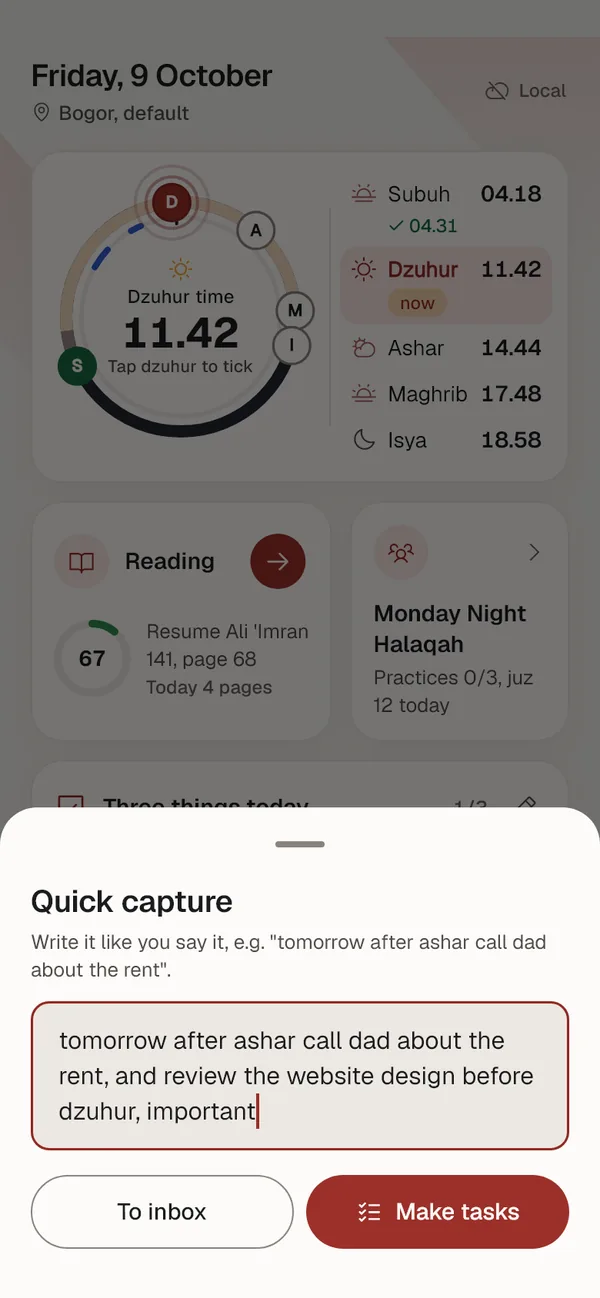
    A single line like "tomorrow after ashar call dad about the rent" becomes a task with its day, prayer block and area. The note is understood by Claude, the AI from Anthropic.

    One sentence, several tasks
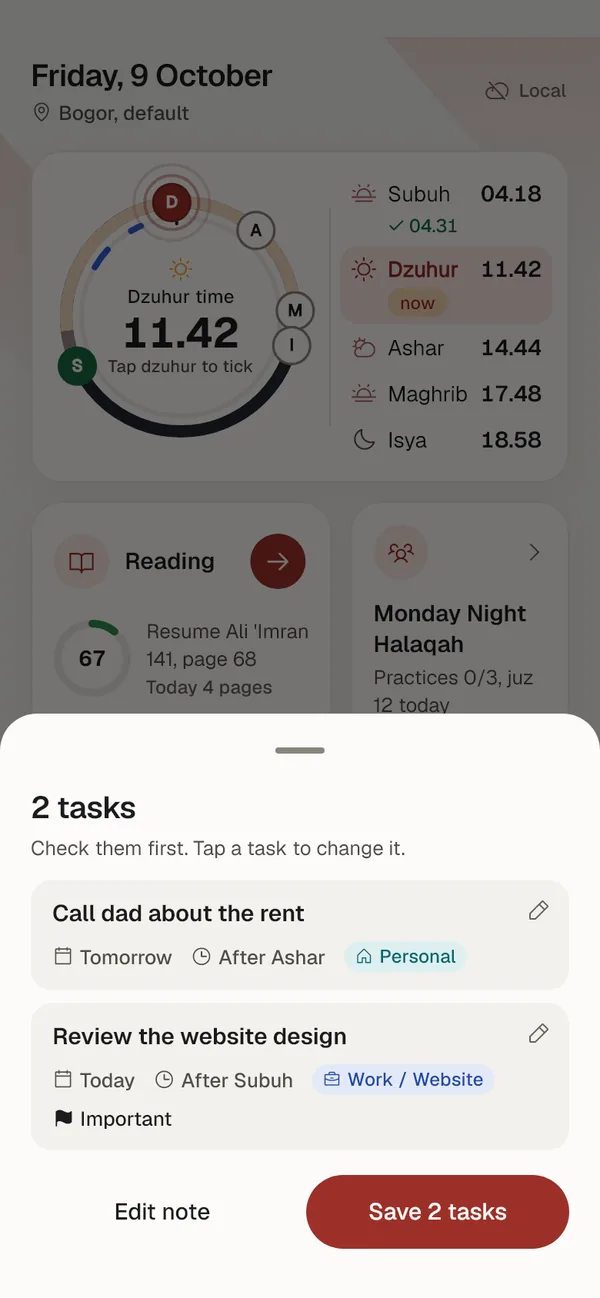
    Up to five tasks at once. Each gets a day, a prayer block, an area, a project and a priority when the note mentions them.
    Checked before it is saved
    The result shows up as a list. Tap a task to change it, and the last save can still be undone.
    On only when you allow it
    It asks before the first use and can be turned off in Settings. Needs an account and internet. When off, notes go to the inbox as usual.
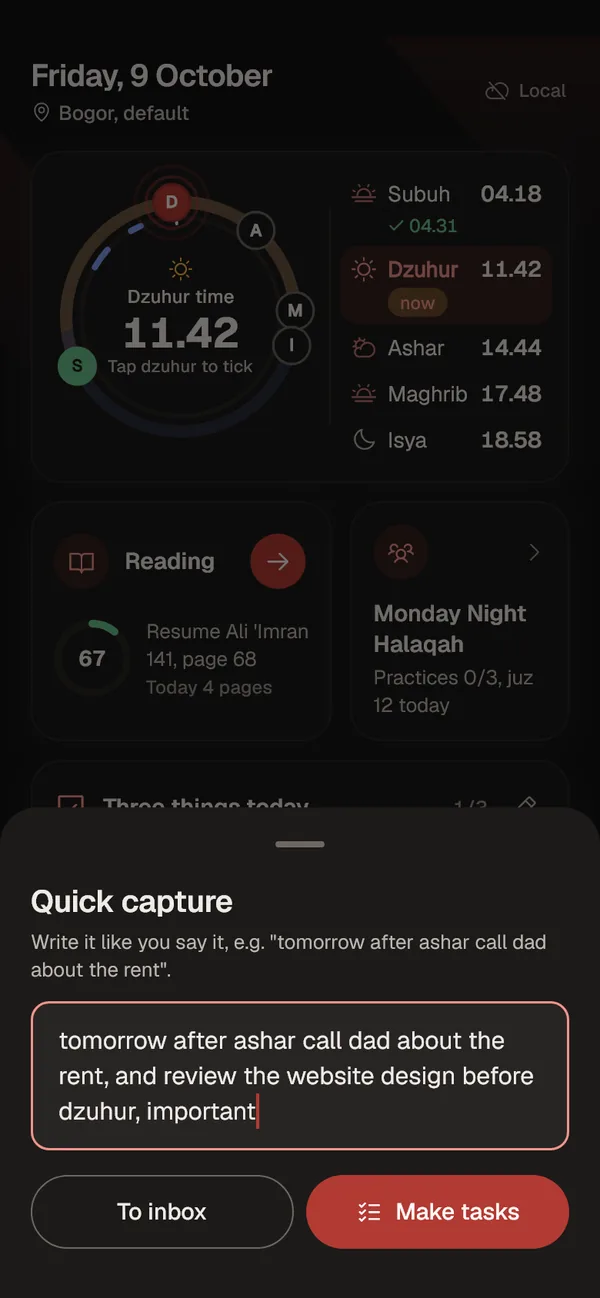
    Quick capture sheet with the note: tomorrow after ashar call dad about the rent, and review the website design before dzuhur, important. Quick capture sheet in dark mode.
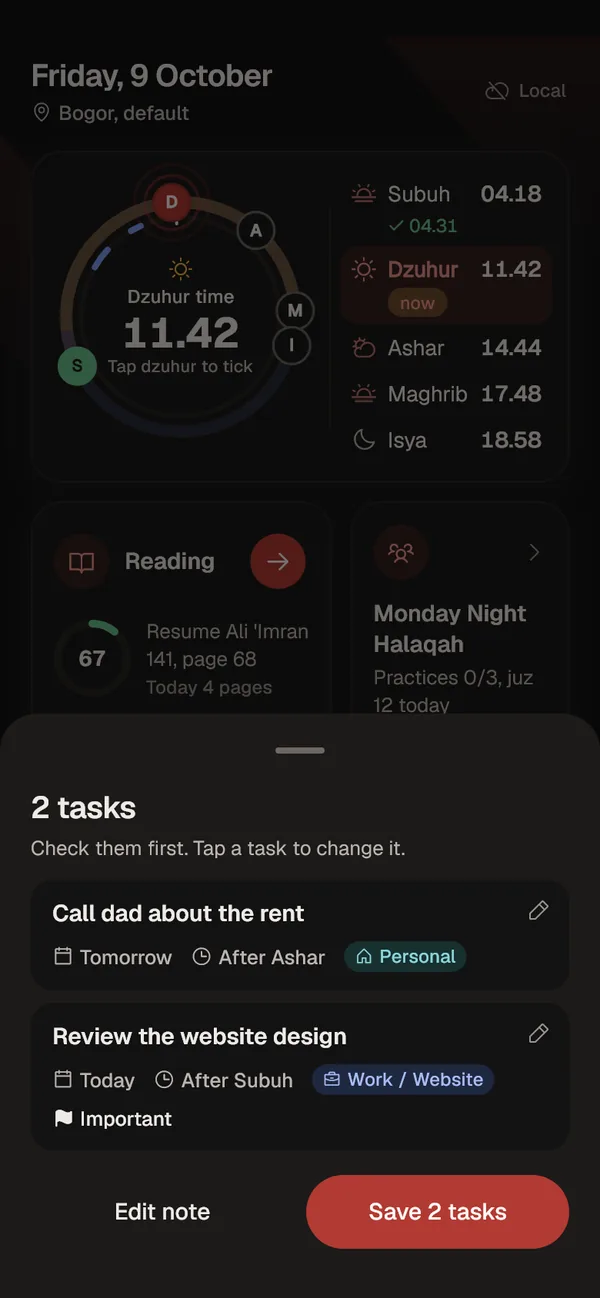
    Smart capture result: two tasks. Call dad about the rent, tomorrow after Ashar, area Personal. Review the website design, today after Subuh, Work / Website, important. Smart capture result in dark mode.

    After Subuh

    04.18

    Quran reading that logs itself

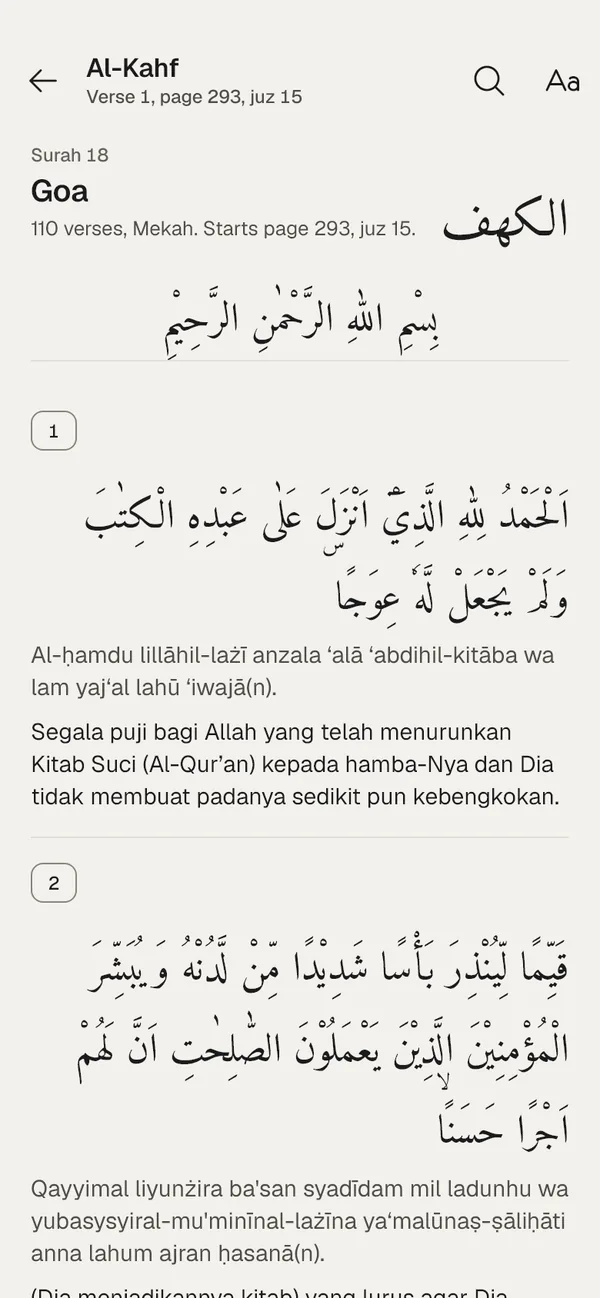
    All 30 juz of the Quran are inside the app and readable offline. Mark the last verse you read and the pages go straight into your reading history.

    Arabic, transliteration, translation
    Text and Indonesian translation from the Ministry of Religious Affairs. Arabic set in Amiri Quran, size adjustable.
    Pick up at the last verse
    The reading card knows the next surah, verse and page. Progress to khatam is counted over 604 pages.
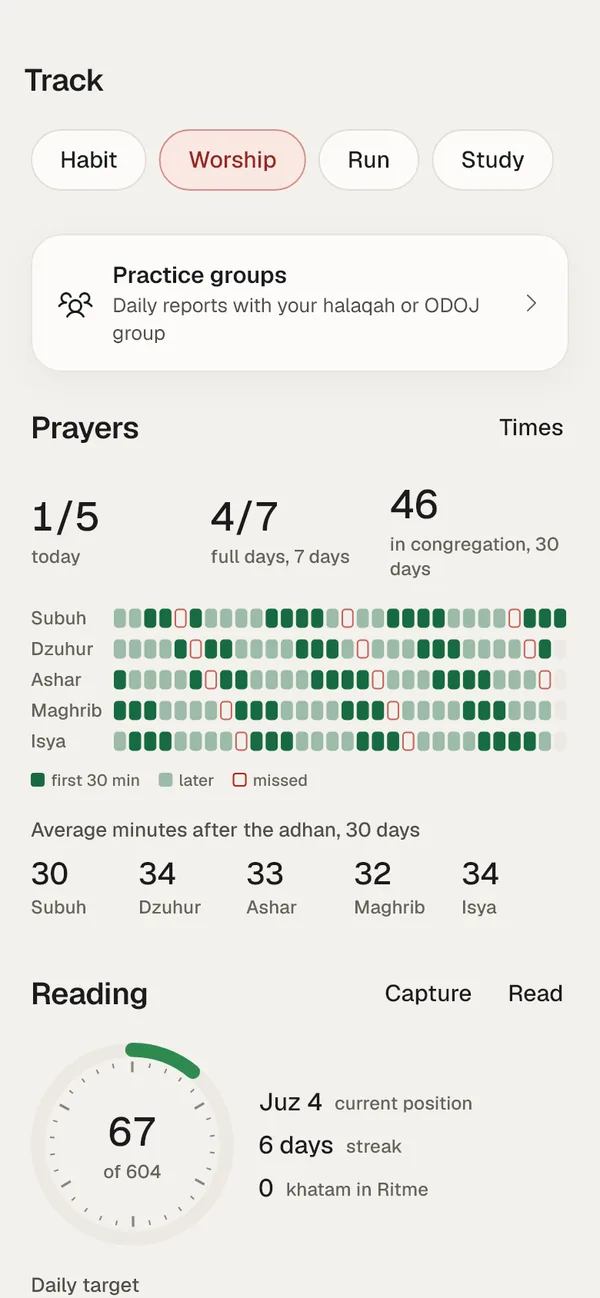
    Five prayers, 30 days
    A month grid: ticked in the first 30 minutes, later, or missed. The 30 minutes is a personal yardstick, not a ruling.
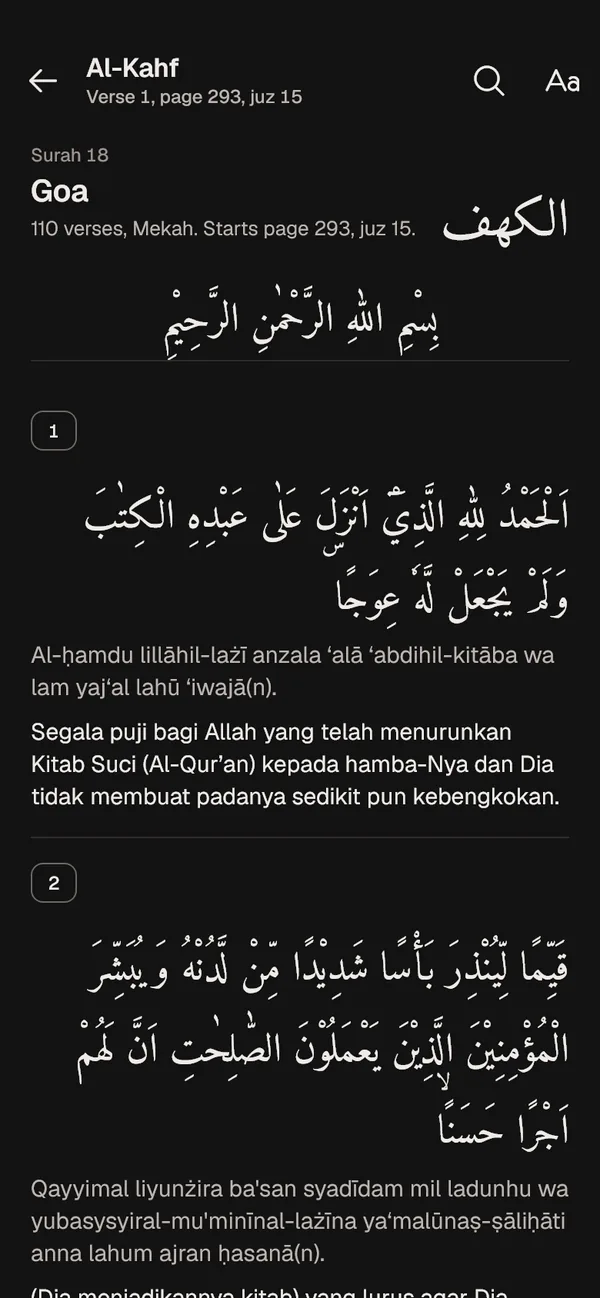
    Quran reader, surah Al-Kahf: Arabic text, transliteration and translation. Quran reader in dark mode.
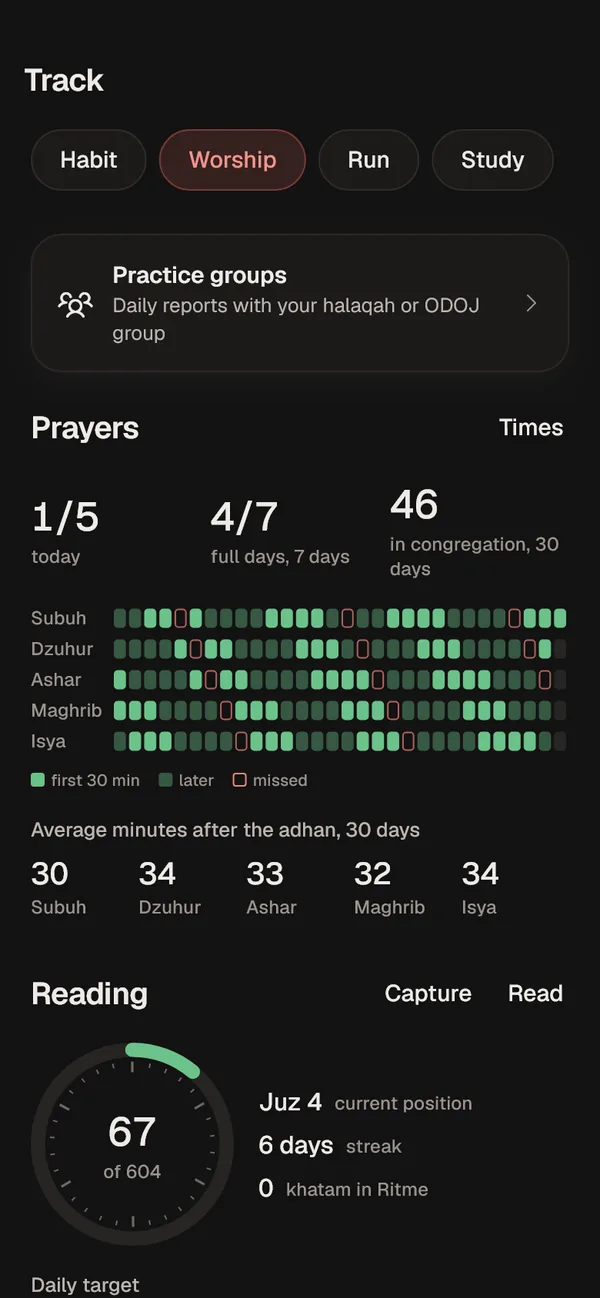
    30-day prayer history and average minutes after the adhan per prayer. Prayer history in dark mode.

    After Dzuhur

    11.42

    Work in blocks, focus in sessions

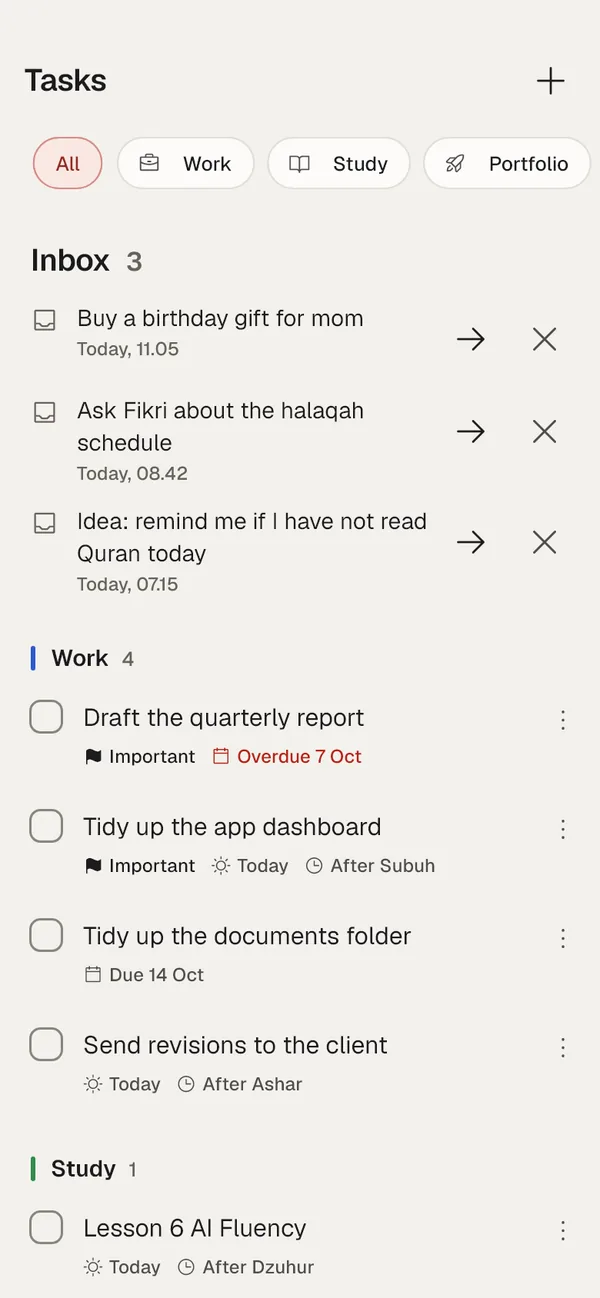
    Tasks are grouped by area, like Work, Study and Personal, with projects and due dates. When it is time to focus, pick a task and start the timer.

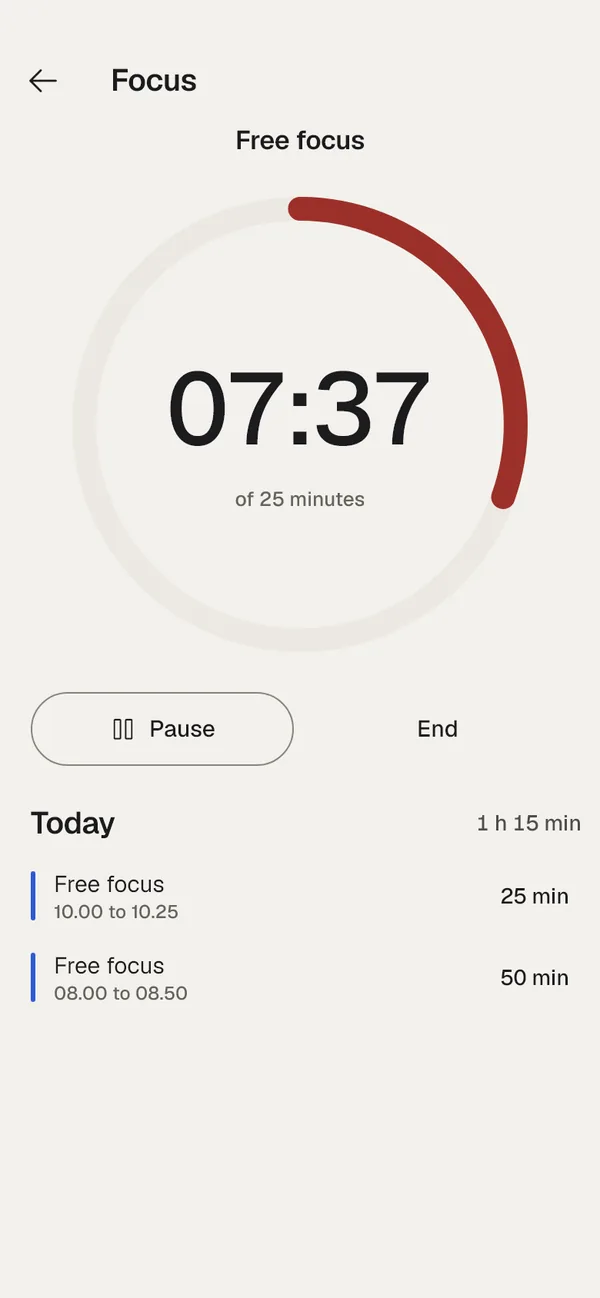
    25, 50 or 90 minute timer
    Counted from the wall clock, so it stays right even when the app is closed. A notification rings when the session ends.
    Due dates you can see
    Overdue tasks are marked in red with their date.
    Focus minutes feed the review
    Every session is logged per area and shows up in the weekly review.
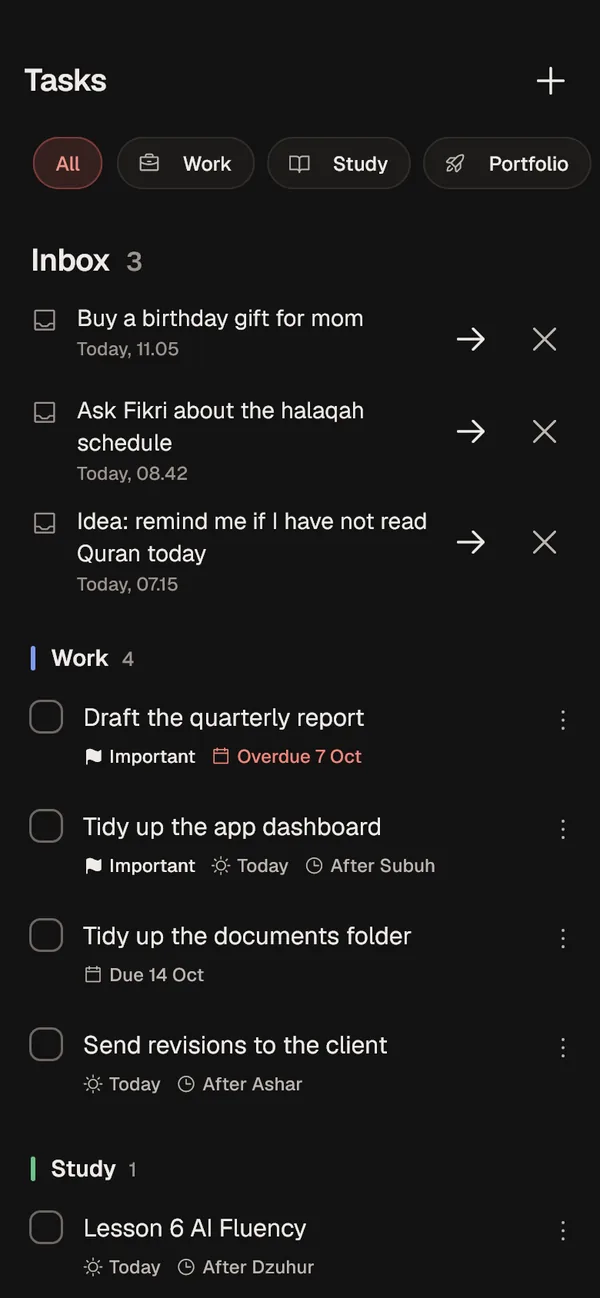
    Task list by area with the quick capture inbox on top. Task list in dark mode.
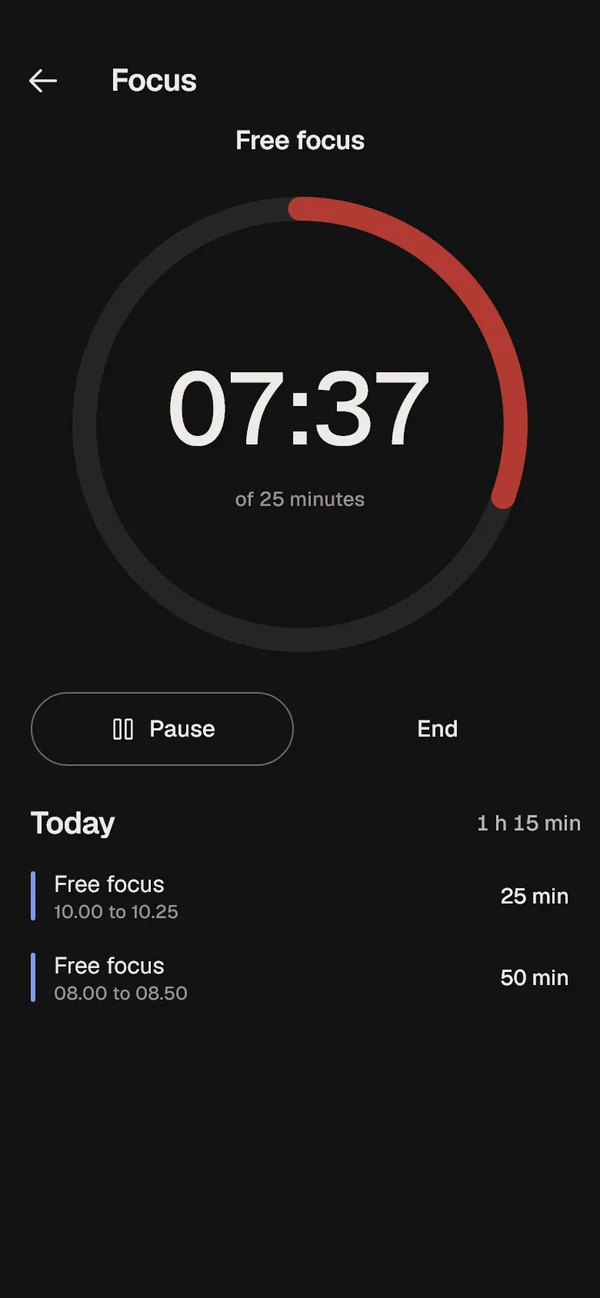
    Focus timer running, 07:37 of 25 minutes. Focus timer in dark mode.

    After Ashar

    14.44

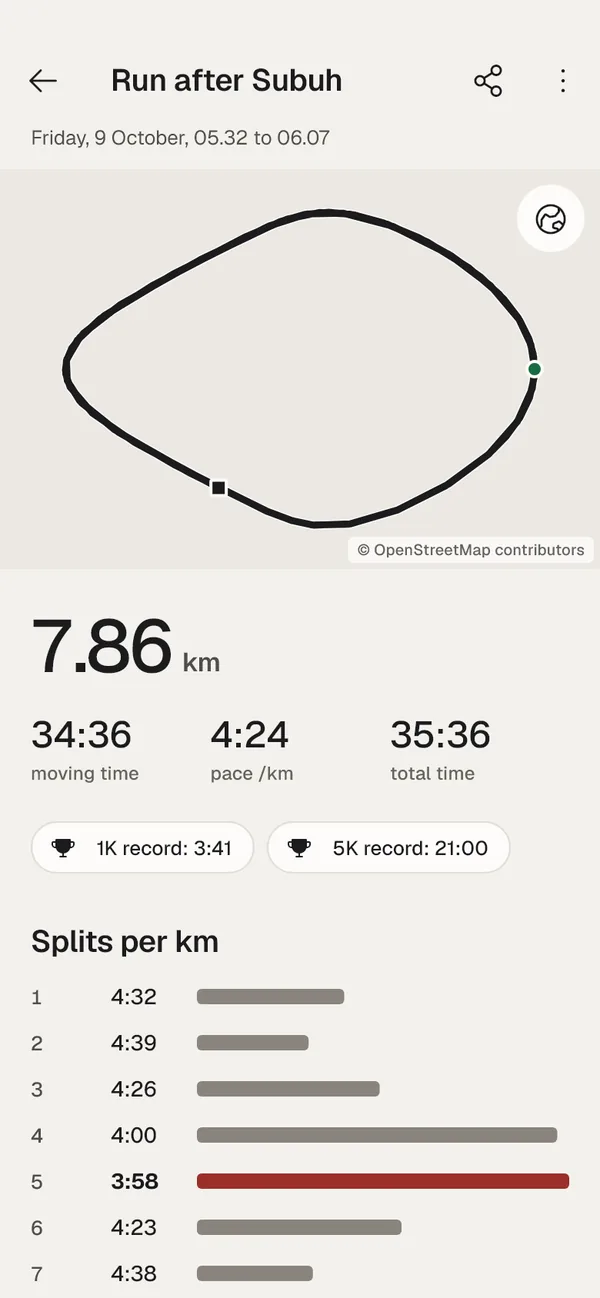
    An afternoon run, route recorded

    Record runs with GPS, even with the screen off. Afterwards you get a route map, splits per km, a pace chart and personal records.

    Voice every kilometre
    Distance, time and pace read out every km.
    Auto pause
    Stopping at a red light does not ruin your pace.
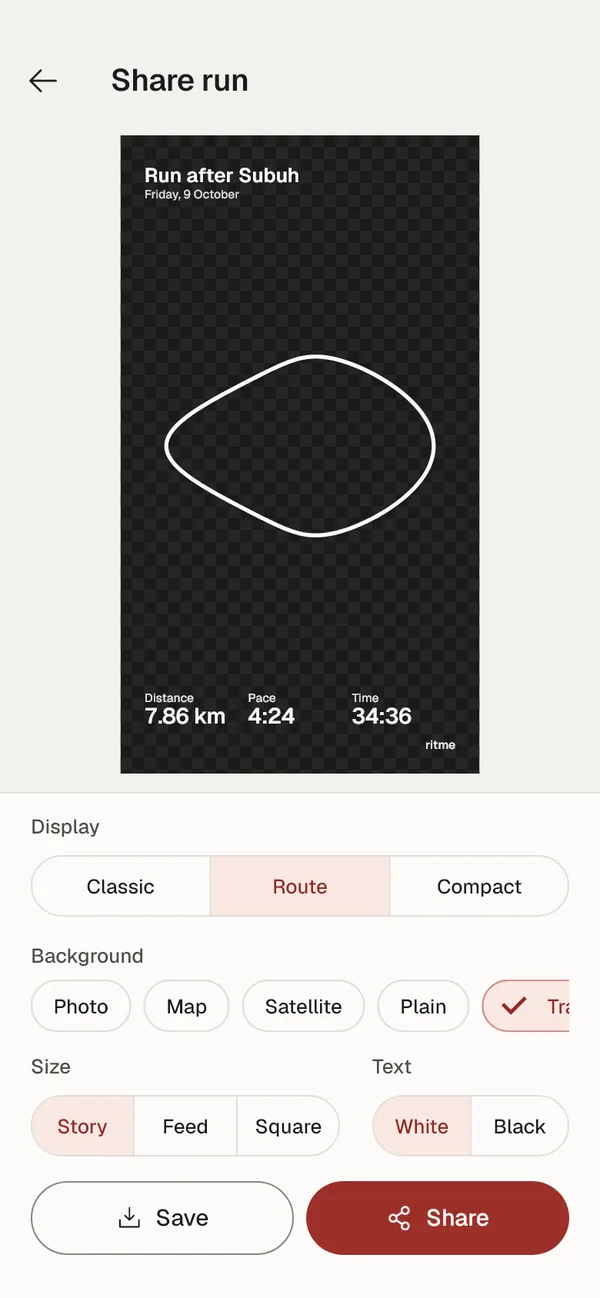
    Share templates
    Classic, Route or Compact, on a photo, a map, satellite imagery, or a transparent sticker for stories.
    GPX export
    Open the route in Strava or any other running app.
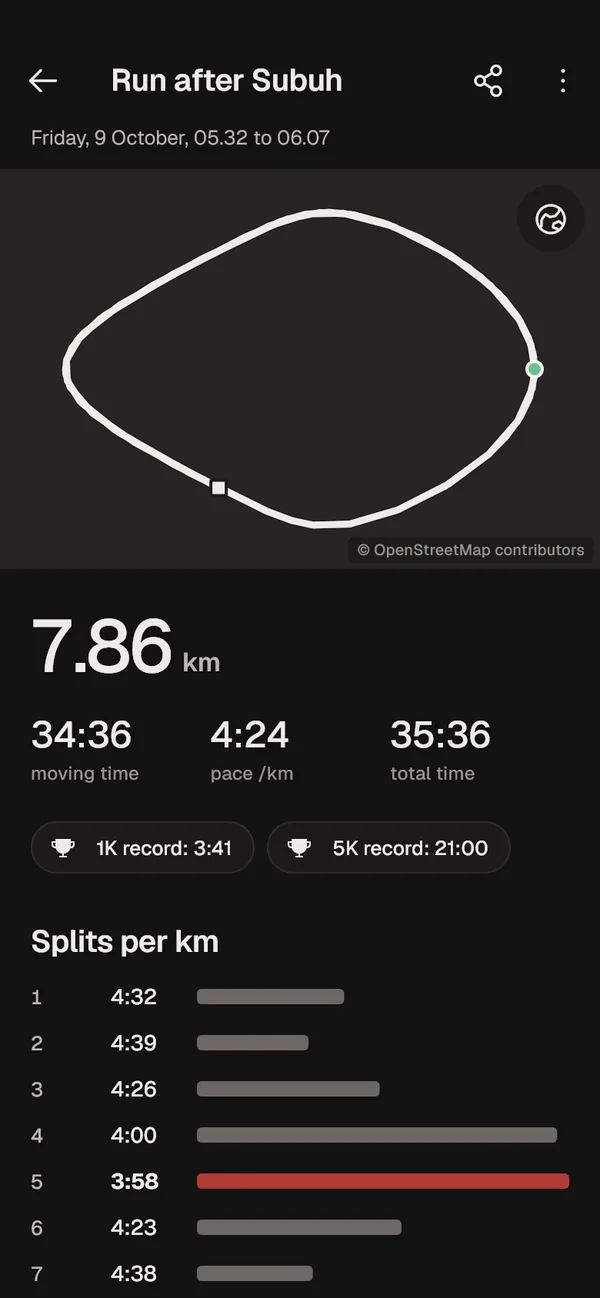
    Run detail: route, 7.86 km, pace 4:24 per km, 1K and 5K records, splits per km. Run detail in dark mode.
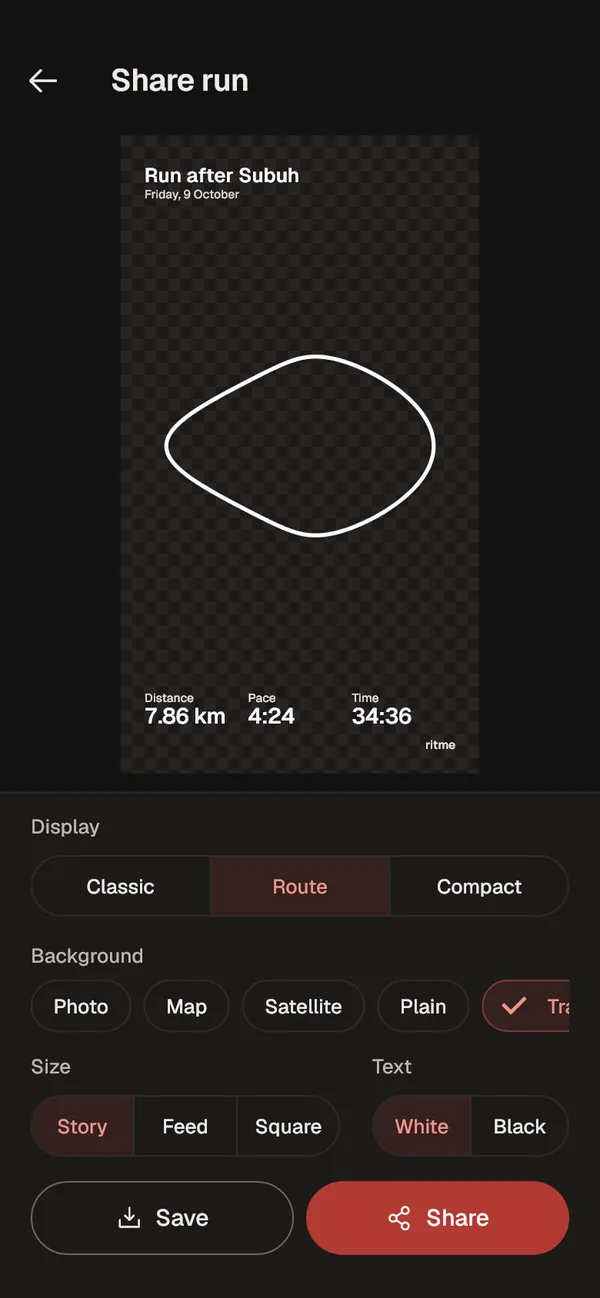
    Run share screen with the Route template. Run share screen in dark mode.

    After Maghrib

    17.48

    Practice groups for study circles

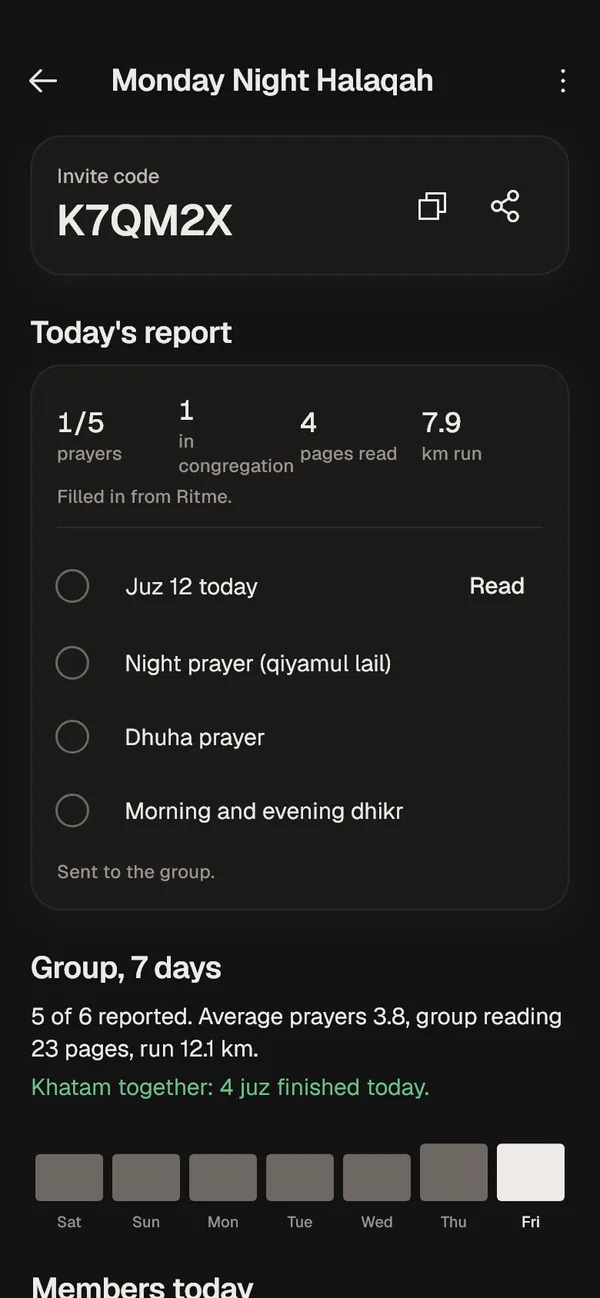
    For leaders of halaqah, liqo or ODOJ (one juz a day) groups. Members' daily reports fill themselves in from Ritme, so no more manual tallies in the WhatsApp group every night.

    Filled in automatically
    Prayers, congregational prayers, pages read and distance run come from each member's own log. Members only tick the extra practices.
    Finish the Quran together
    Juz rotate automatically every day, and the leader sees whose juz is done.
    Member privacy
    Members see their own report and the group total. Per-person detail is for the leader only.
    No leaderboards
    Worship is not a contest, so members are never ranked.
    Join with a 6-letter code K7QM2X

    Group detail for Monday Night Halaqah: invite code, today's report, 7-day summary, and each member's juz.

    After Isya

    18.58

    Close the day, see the week

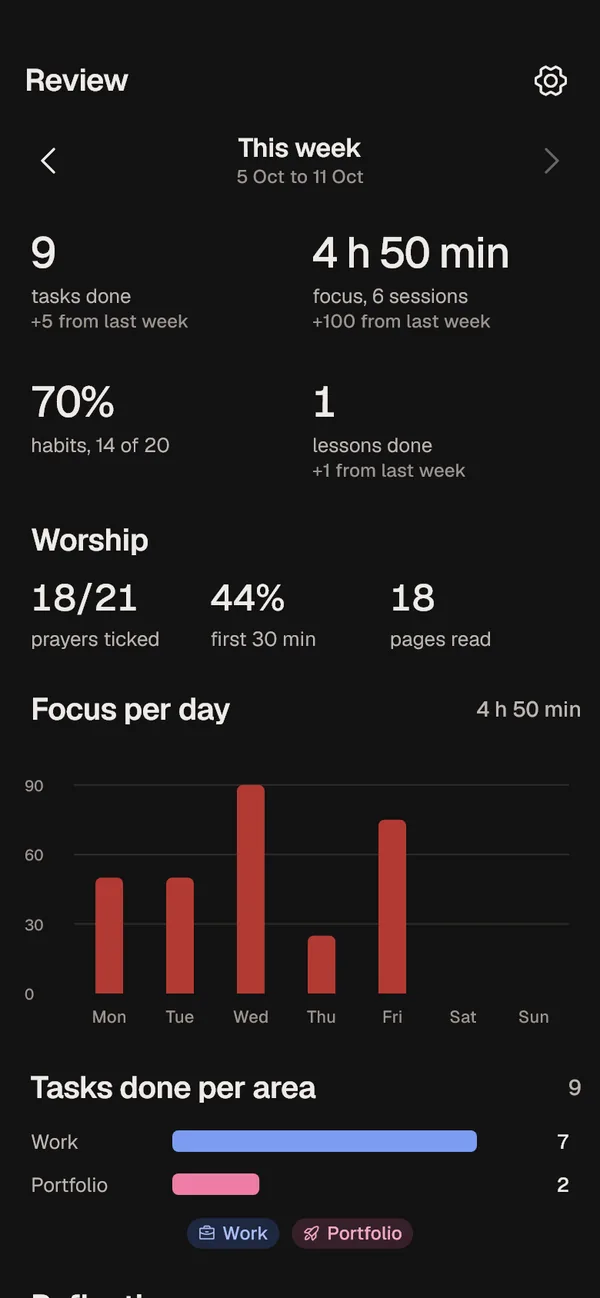
    The evening check-in takes a minute: your energy today and what went well. Each week, the review sums it all up from real data.

    This week and last week
    Tasks done per area, focus minutes per day, habit percentage, and lessons finished.
    Weekly reflection
    What worked, what you learned, and next week's focus.
    No made-up numbers
    When there is no data yet, the chart says so and shows a first step.
    Weekly review: tasks done, focus minutes, habit percentage and this week's worship.

    What we hold to from day one

    Your phone comes first

    Everything is stored on the phone and works offline. Syncing to the server is only for backup and switching phones. Smart capture sends a note's text to Claude only when turned on, and always asks first.

    No ads, data never sold

    There are no ads in the app, and your worship or work logs are never sold to anyone.

    Every account is locked

    Each row on the server can only be read by its owner, and that rule is tested automatically on every change.

    Prayer times computed on the phone

    Ministry of Religious Affairs method, location from GPS. May differ by a minute or two from your local mosque.

    Tanya jawab

    When can I use it?

    Ritme is being tested on Android and is not on the Play Store yet. People on the waitlist hear first by email.

    Is there an iPhone version?

    Not yet. Android first.

    Is it paid?

    Not decided yet. It will have no ads either way.

    Do I need to be online?

    No. The internet is only used for syncing between phones, groups, and smart capture.

    Which languages?

    Indonesian and English, switchable in Settings.

    How big can a group be?

    Up to 60 members per group, and one leader can run up to 10 groups.

    Join the waitlist

    We email you when the Android beta is ready. Tick the leader box if you want to use Ritme with a study circle or ODOJ group.

    Your email is only used for Ritme news.